

How to save your mobile contacts and much more in cloud for Free!
June 17, 2012 | by techlineinfo.com
If your having problem with moving contents of your old mobile phone to new one and having backup of your mobile contents you no longer need to worry as there is a free Cloud service which backups your contacts,messages,SMS and much more to the cloud so that you can restore to your new one and access the contacts when mobile its not near you.
This service is platform independent,which means you may have Iphone , Android device or Blackberry device you can still use this service.Just follow the steps to backup.
Step 1: Visit this URL and create an account,password for the account will be emailed to you,use that password and login.
Step 2 : In the start tab hit “Select My phone”,in the page select your manufacturer and model name.
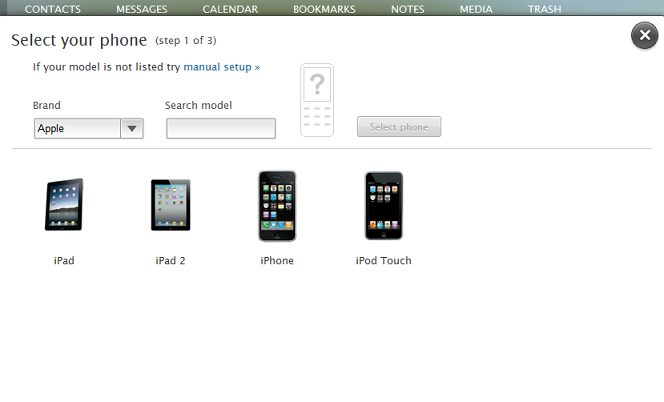 Step 3: Verify your Email ID and download the mobile application,if your android user download “Everdroid” application from market,if your iphone/blackberry/windows OS users suitable application and QR code will be suggested,you have to download that application to start synchronization.
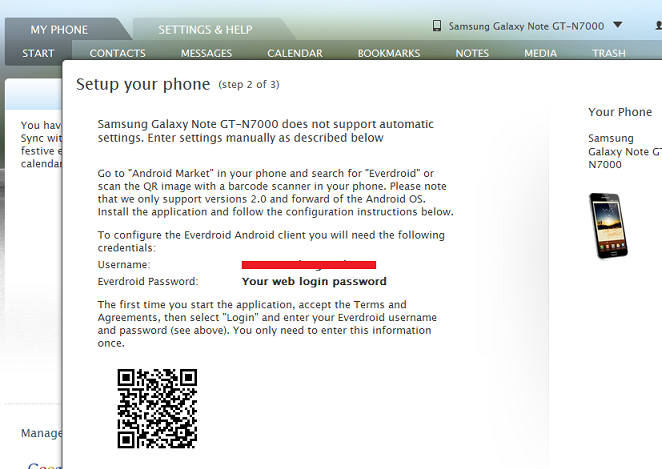
Step 4: Android users download “Everdroid ” from market.

Step 5: Enter the same User name and Password which you used in site.

Step 6 : Hit “Start sync” after you login.

Once the sync is over you will get a screen like this

You can also set Auto sync so that this application will automatically sync contacts to the cloud,you can also have manual option also.

Once the contacts are synch go to the site and hit “I have synchronized my phone”
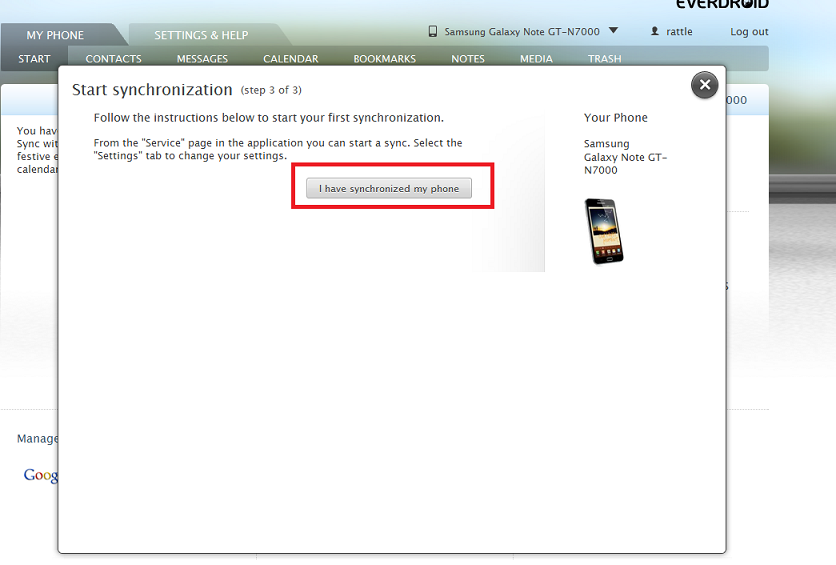
That’s it your contacts,SMS, and other selected features are now in the cloud,just in case if you loose your mobile or if you are changing new mobile you still have the contacts.
The service also has option to integrate your Google Docs,once you grant permission the documents will also get sync to Everdroid.You can also store the image and videos that you took in your mobile.
Find this article to be interesting? Please share and leave a comment.
RELATED POSTS
View all


How to configure TP Link TD-W8968 Wireless N ADSL Modem cum Router for BSNL and MTNL
August 24, 2012 | by techlineinfo.com
HOW TO: Choose a Better Browser among So many Good Browsers?
September 20, 2011 | by techlineinfo.com