

Difference between PPPoE and bridge mode of ADSL Modem
September 27, 2009 | by techlineinfo.com
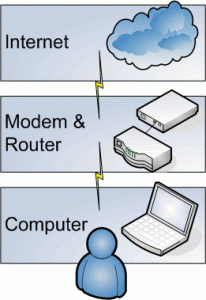 There are two ways to configure an ADSL modem for broadband connection. One in PPPoE (Point to Point Protocol over Ethernet) and the another is Bridge mode.
PPPoE Mode
In this mode the modem works as router and the PPPoE session terminates on WAN port of router. The PPPoE client is in built in the modem and allocated by BRAS server gets assigned to WAN port of modem. The Internal network has to use the private IP and for Internet access NATing happens in modem. In PPPoE mode the modem is configured in such a way that the user id and password are stored inside the Modem. Internet connection will be established as you switch on the Modem.

Bridge Mode
In this mode the modem works as transparent Ethernet bridge and therefore you need to run the PPPoE client software ( for login authentication) on your PC/server. WIN XP systems have this feature inbuilt but for other operating systems you need to buy it from market. Some freeware like RASPPPoE, Enternet etc. are also available on the Internet.
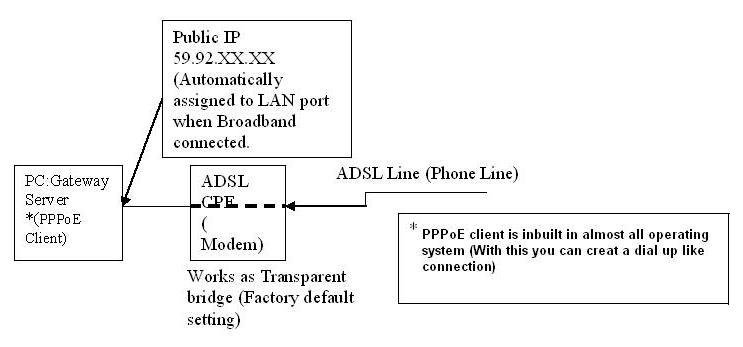
Both the modes can be used as per the requirement and application. Here enumerating the main differences
PPPoE mode
- User id and password stored inside the Modem.
- Multiple PCs can be connected. For example most of the basic ADSL Modems having at least one ADSL port and one USB port. In PPPoE mode, can connect one PC to Ethernet port and one PC to USB port which enable simultaneous internet usage in both the PCs.
- PPPoE mode is more secured.
- For Torrents download, appropriate ports need to be forwarded.
Bridge Mode
- In bridge mode user id and password to be entered in the dialer of computer.
- Only single PC can be connected.
- For torrents download port forwarding is not required.
- Less secured because all the ports are open need good firewall to avoid virus infection.
RELATED POSTS
View all


Remain ahead of your competition with Mobile Application Development
July 18, 2011 | by techlineinfo.com